The notch on your Mac, put to work
A shelf for files, your clipboard history, the song that's playing and live activities, all along the top of the screen. With a notch or without one.


Features
The small things you do all day, one hover away
Ledge keeps them at the top of the screen. They're there the moment you need them and out of the way when you don't.

Now playing in the notch
The cover on one side, the song's wave on the other. Open it for the full player, or swipe to change songs
Clipboard history
Everything you copy, searchable and pinnable. Sort it by app or into collections of your own, and paste straight back into the app you're in
Lyrics scroll on the lock screen above the song card, with the line being sung highlighted.
Lyrics, even on the lock screen
Timed lyrics follow the song in the player and on the lock screen, the sung line bright above the song card. Spotify and Apple Music add the Up Next queue
The shelf
Drag files to the top of the screen. They wait there until you drag them out where you need them
- CPU
- 23%
- Weather
- 25°
Widgets
System stats, the weather where you are, and Text Capture, which turns any part of the screen into text
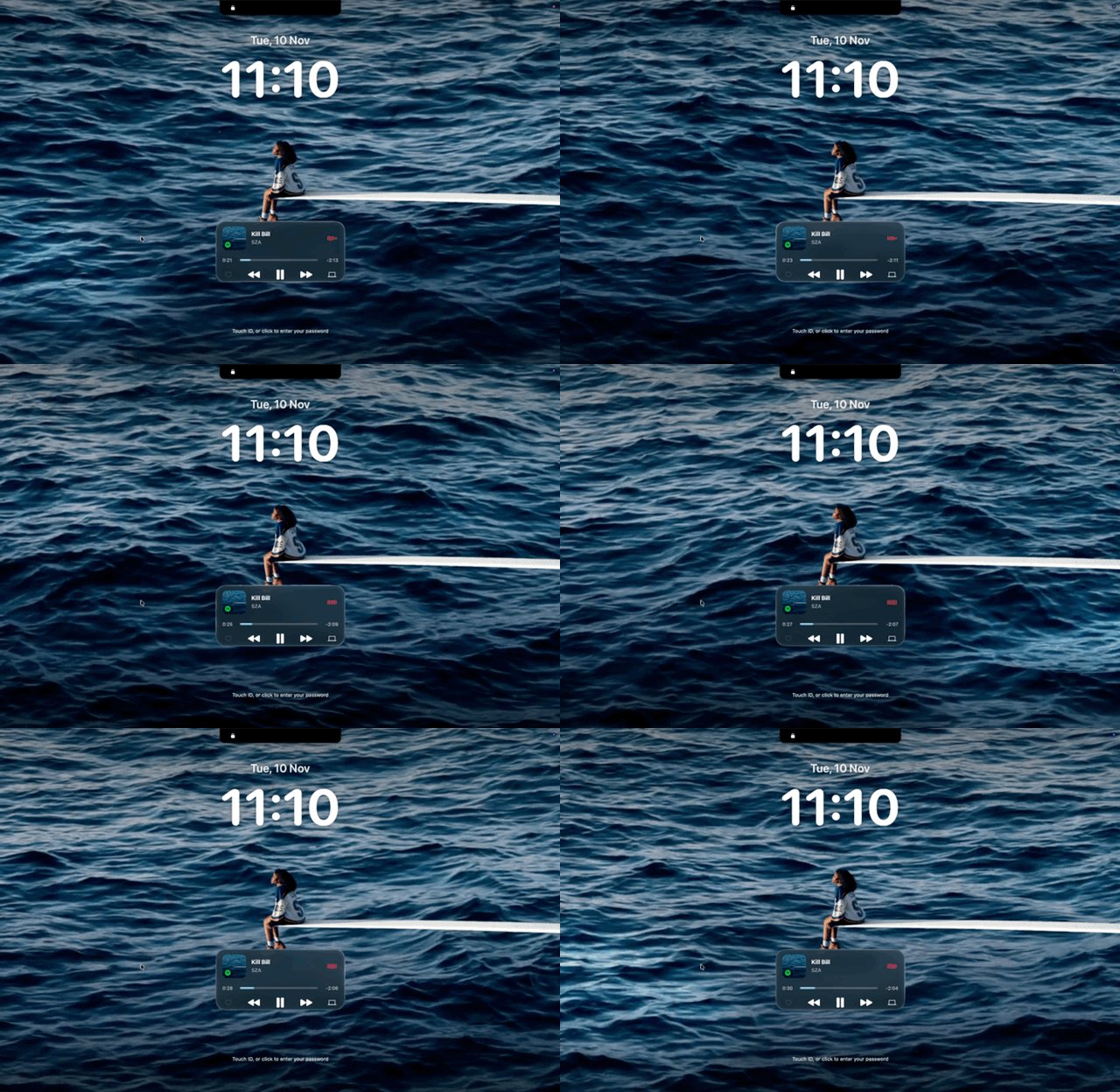
Motion art on the lock screen
The song card sits on the lock screen in Liquid Glass. Click its cover and the artwork fills the screen, moving when the song has motion artwork
Live Activities
What your Mac is doing, beside the camera
Ledge replaces the macOS pop-ups and adds the ones it never had. Each slides out of the notch, then steps aside. Turn on only the ones you want.
- Volume
- Brightness
- Keyboard brightness
- Battery and charging
- File tray
- Caps Lock
- Hold to quit
- Mic and screen recording status
- Screen recording controls
- AirPods and headphones
- Noise control
- Bluetooth devices
- Focus mode
- No internet
- VPN connected
- Wi-Fi
- External drives
- Download progress
- Ledge updates
Floating player
Your music, anywhere on the desktop
Drag the player off the menu bar and it stays where you drop it. Three sizes in Liquid Glass, with motion artwork from Apple Music, lyrics and the queue.
Transform
Convert, compress and reshape files, right on your Mac
Drop files on Transform in the notch or on a floating shelf, pick a tool that fits them, and press the button. Nothing is uploaded: every tool runs on this Mac.
- Size
- Compress pictures, video, audio and PDFs, by quality or to fit a file size. Resize pictures to a longest side and video to 480p, 720p or 1080p
- Format
- Convert pictures to JPEG, PNG, HEIC or TIFF, video to MP4 or MOV, audio to M4A or WAV. Make a GIF from a video, save a video's sound, combine pictures and PDFs into one PDF, or split one into pages
- Edit
- Remove a photo's background, rotate or flip, strip location and camera details, trim, remove a video's sound, or change its frame rate
- Files
- Open ZIP and TAR archives, zip everything you dropped into one archive, or rename files in place
- Presets
- Web ready, Under 10 MB, Light PDF and Chat GIF, one tap each
- Safe by default
- New files are named “(Transformed)” and never overwrite anything. A compressed file that isn't smaller is thrown away, and originals go to the Trash only if you ask
Extra formats
Two free tools open up more. Install either once from Settings → Transform: Ledge opens Terminal with the Homebrew command ready, and the button turns to Installed when it's done. Transform works without them.
FFmpeg
Adds WebM and MKV video, and MP3 and FLAC audio, to Convert. MKV copies the video and sound as they are, so nothing is lost and it takes a second. WebM is VP9 at high quality, and MP3 is about 190 kbps.
Ghostscript
Makes PDFs much smaller when you compress them. Without it, Ledge re-saves the pictures inside with macOS's own PDF tools, which often barely helps. With it, Ledge rebuilds the whole file: it shrinks the pictures, keeps only the parts of fonts the document uses, and drops repeated data. Scans and slides often end up several times smaller, and text stays selectable and searchable.
- Smaller
- Pictures at about 72 dpi, for reading on screen
- Balanced
- Pictures at about 150 dpi, like an e-book
- High
- Pictures at about 300 dpi, good enough to print
Fillable forms can lose their fields, and links occasionally go, so keep the original of those. If the result isn't smaller, Ledge keeps your original. Ghostscript isn't used for pictures, video or audio.
Customise
Black, glass, or somewhere between
Choose what the notch is made of, how it looks on displays without one, and exactly how big it is.

Black
Solid black that blends into the camera housing
Dynamic Glass
Black at the top, melting into glass lower down
Liquid Glass
Clear glass all the way, closed and open
- Notch or pill
- A real notch is always used as a notch. Other displays get a drawn notch or a floating pill
- Size
- The notch's width and height, and how wide the pill is
- Glass
- Clear to frosted, tinted or not, and a soft blur around the open notch
- Colours
- The highlight, the volume and brightness sliders, and the song's wave
Add-ons
More from the notch, one add-on at a time
Add-ons bring new abilities to Ledge without a Ledge update. Find them in the Add-on Store in Settings, or load one you've built yourself.
Browse the Store
Filter by Media or System, see what you have installed, or search. Every add-on has its own page with its developer, category, previews and a way to send feedback.
Spotify Likes is the first
The heart that saves a Spotify song to your Liked Songs now lives in its own add-on. Install it, connect your Spotify account, and the heart appears in the player. Notifications, which shows macOS banners in the notch, is in development.
Build your own with LedgeKit
Write an add-on in Swift and submit it as a pull request to the public catalogue. Once it's reviewed and merged, it's built, published and listed in the Store.
- 01
Build
Write the add-on in Swift with LedgeKit, test it, and load it into your own Ledge
- 02
Submit
Open a pull request to LedgeAddOns with the source, manifest, icon and tests
- 03
Listed
After review and merge, it's built for Apple silicon and Intel, and shows up in the Store
Privacy
Native, local and quiet
- Stays on your Mac
- Your shelf and clipboard history live in Ledge's folder on this Mac, and nowhere else
- Permissions you can see
- Settings lists every permission, with a tick when it's granted or a button to ask for it
- Built for macOS
- Written in Swift with AppKit. Liquid Glass on macOS 26, and the frosted blur before it
FAQ
Questions and answers
What is Ledge?
A Mac app that lives at the top of your screen. It keeps a shelf for files, your clipboard history, the song that's playing and live activities like volume, battery and downloads, all in the notch.
Does it work on a Mac without a notch?
Yes. On an external display, or a Mac without a camera notch, Ledge shows a drawn notch or a floating pill. You pick which, and how big it is.
Which music apps does it work with?
Any app that reports to Now Playing on macOS. Spotify and Apple Music also get shuffle and repeat and the Up Next queue. Liking a Spotify song comes from the Spotify Likes add-on.
What permissions does it need?
None for the notch, the shelf, clipboard history and most live activities. Accessibility lets it paste for you, Screen Recording powers Text Capture, Location is for local weather, and Automation lets it control Spotify and Music. Settings shows each one with a tick, or a button to ask for it.
Where does my data go?
Shelf files and clipboard history stay on your Mac. Ledge goes online only for the weather, lyrics and artwork, the add-on catalogue when you open the Store, Spotify if you connect it to Spotify Likes, and checking for a newer version.
Are add-ons safe to install?
Each one is reviewed before it's listed, and Ledge checks every download against the catalogue before installing. Add-ons still run as native code with your account's access, and aren't sandboxed yet, so Ledge asks you to trust each one first. Install only add-ons from developers you trust.
Do I need FFmpeg or Ghostscript?
No. Transform works without them, using what's built into macOS. They're free extras you can install from Settings → Transform through Homebrew: FFmpeg adds WebM, MKV, MP3 and FLAC to Convert, and Ghostscript makes PDFs much smaller when you compress them. Ledge only uses them for those choices.
What do I need to run it?
macOS 14 Sonoma or later. The Liquid Glass finishes use macOS 26 where it's available.
Ledge isn't out yet
The download will be here with the first release. It runs on macOS 14 or later.