
Music · An add-on for Ledge
Apple Music Controls
Apple Music player controls and AI tools
Version 0.15.1 · By Ledge
See Apple Music Controls in Ledge
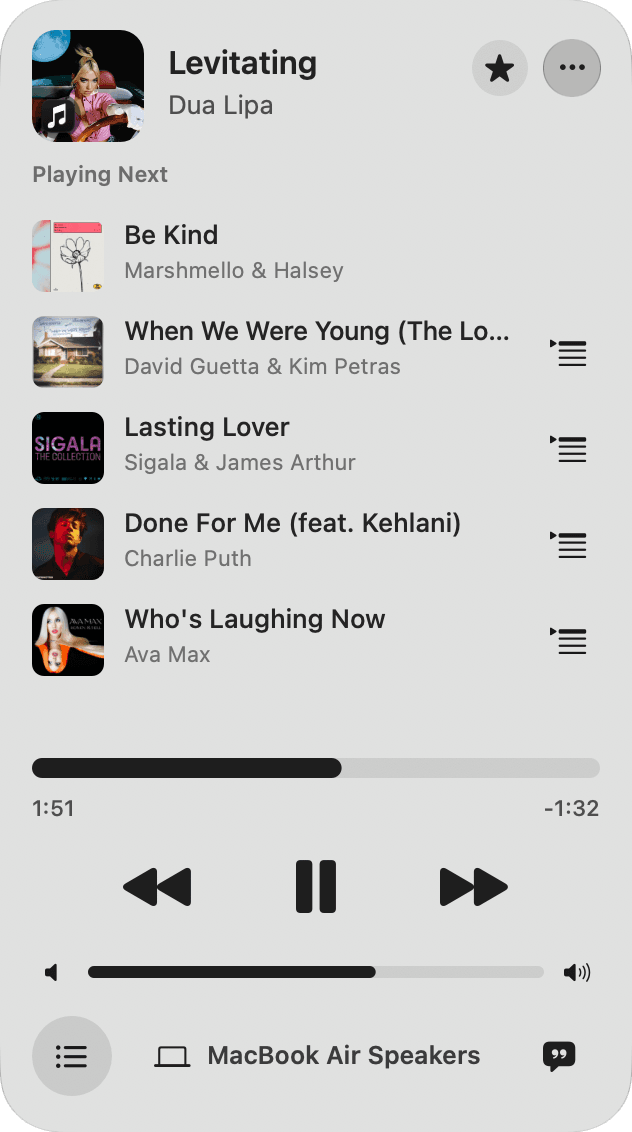
What Apple Music Controls does
Adds Apple Music to Ledge's players and lock screen: favorite or unfavorite songs, add songs to playlists, and see or reorder Music's actual Playing Next. AI tools can inspect and manage playlists, control shuffle, list Playing Next, add a library song to play next, and favorite either the playing song or a library song. Song search and direct playback are not exposed. Music actions need macOS Automation access. Adding a library song to Playing Next may also need Accessibility access. Playing Next is experimental and shows up to 12 upcoming songs.
- Version
- 0.15.1
- Category
- Music
- Developer
- Ledge
- Availability
- Free developer preview · needs Ledge with LedgeKit 0.17.0
Install Apple Music Controls
- Download Ledge and open it on your Mac.
- Open Settings → Add-on Store and search for Apple Music Controls.
- Choose Install, then review and approve the permissions it requests.


