
Productivity · An add-on for Ledge
Emoji
Every emoji, one shortcut away
Version 0.1.2 · By Ledge
See Emoji in Ledge
What Emoji does
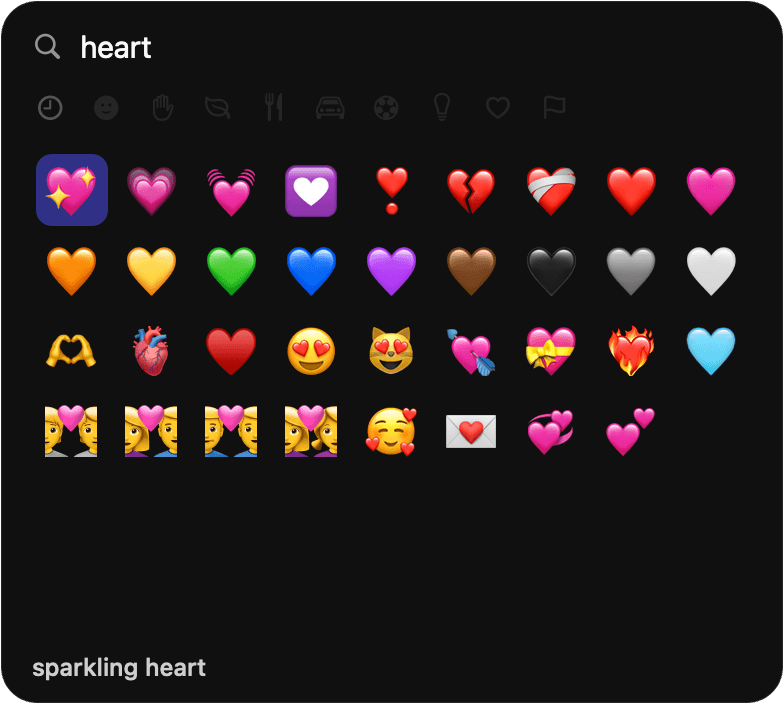
Emoji opens a floating picker from any app with a shortcut you choose in its Settings page. Type a name like heart or thumbs, move with the arrow keys or Tab between groups, and press Return: Ledge types the emoji where you were and leaves your clipboard as it was, or copies it if you'd rather. Your skin tone applies to every emoji that has one, and the last 24 you picked come first. It has every emoji your version of macOS can show, from Unicode's own list. Typing emoji in needs the insert-text capability and Accessibility for Ledge; without them, choosing copies the emoji. It doesn't open from typed words like :heart, so nothing reads what you type, and macOS's own emoji viewer stays on Control-Command-Space. The screenshot shows a search for heart.
- Version
- 0.1.2
- Category
- Productivity
- Developer
- Ledge
- Availability
- Free · needs a Ledge with LedgeKit 0.19 · macOS 14 or later
Install Emoji
- Download Ledge and open it on your Mac.
- Open Settings → Add-on Store and search for Emoji.
- Choose Install, then review and approve the permissions it requests.


