
Music · An add-on for Ledge
Lyrics
Timed lyrics for the song that's playing
Version 0.1.0 · By Ledge
See Lyrics in Ledge
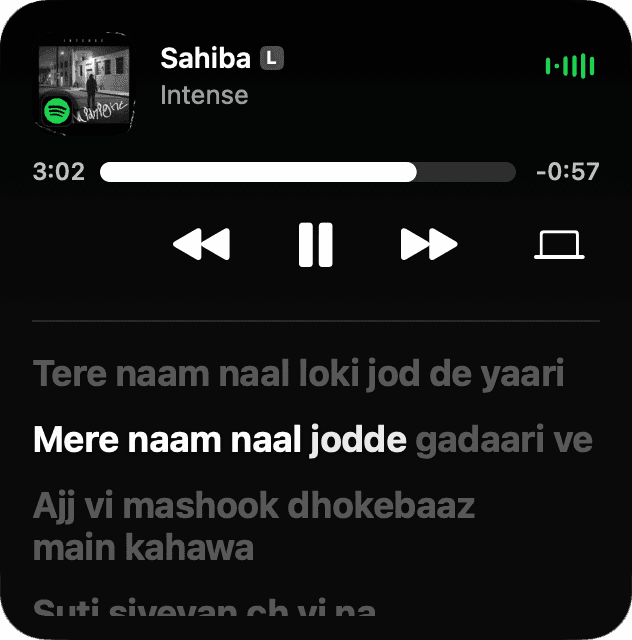
What Lyrics does
Lyrics puts the words of the song that's playing in Ledge: press L in the notch's player or the lyrics button in the menu bar player, and they scroll in time with the music, the current line lit. With the lock screen player on, they show under it while the Mac is locked (Settings, Lock Screen, Lyrics). It works with any player Ledge shows, such as Apple Music, Spotify or a browser. Lyrics come from LRCLIB (lrclib.net), a free, open database; when a song only has untimed lyrics, they show as plain text. Only the song's title and artist are sent to LRCLIB, nothing else.
- Version
- 0.1.0
- Category
- Music
- Developer
- Ledge
- Availability
- Free · needs a Ledge with lyrics from add-ons (0.1.0 Beta 6 or later)
Install Lyrics
- Download Ledge and open it on your Mac.
- Open Settings → Add-on Store and search for Lyrics.
- Choose Install, then review and approve the permissions it requests.


