
Productivity · An add-on for Ledge
Notes
Write notes in the notch
Version 0.6.1 · By Sumit
See Notes in Ledge
What Notes does
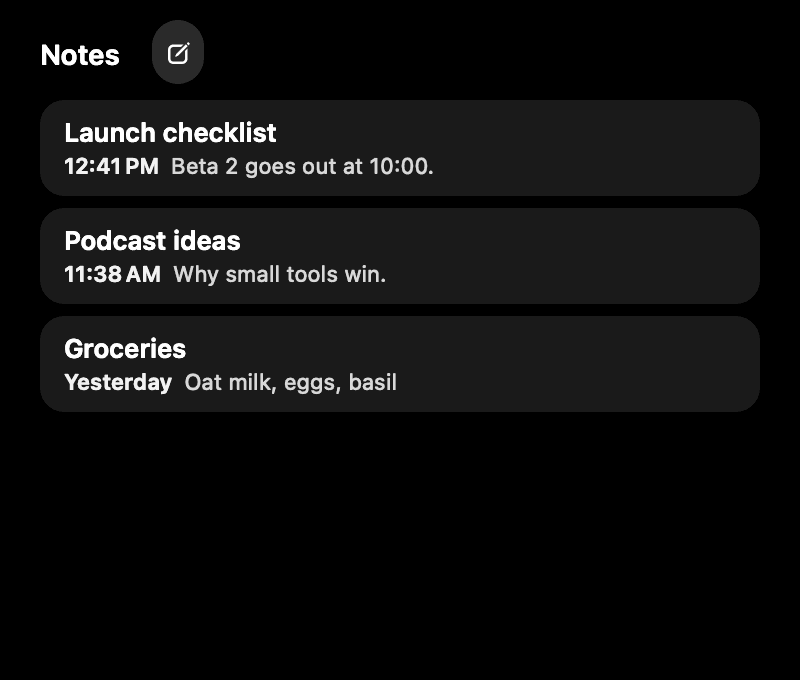
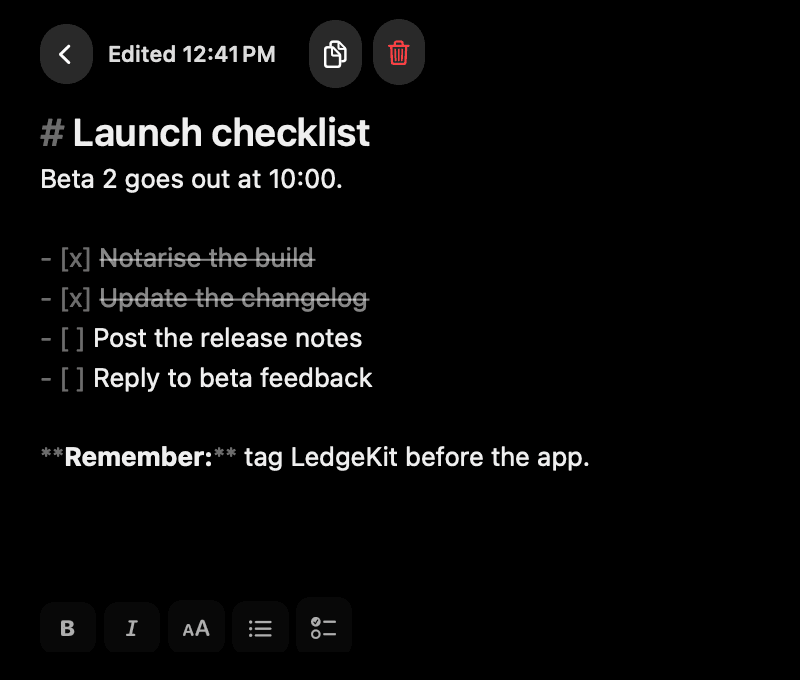
Notes gives you a page of your own in the open notch: your notes in a list, and a Markdown editor to write them, saved as you type. Headings, bold, italic, lists and checklists are styled as you write, and a click ticks a checkbox. Notes are plain Markdown files that stay on this Mac, in the folder Ledge keeps for the add-on; a deleted note goes to the Trash. Copy puts a note on your clipboard. Notes doesn't sync, search inside notes or read Apple Notes. Screenshots show sample notes.
- Version
- 0.6.1
- Category
- Productivity
- Developer
- Sumit
- Availability
- Free · needs a Ledge with LedgeKit 0.13 · macOS 14 or later
Install Notes
- Download Ledge and open it on your Mac.
- Open Settings → Add-on Store and search for Notes.
- Choose Install, then review and approve the permissions it requests.


