
Productivity · An add-on for Ledge
Focus Timer
A focus and break timer in the notch
Version 0.1.0 · By Sumit
See Focus Timer in Ledge
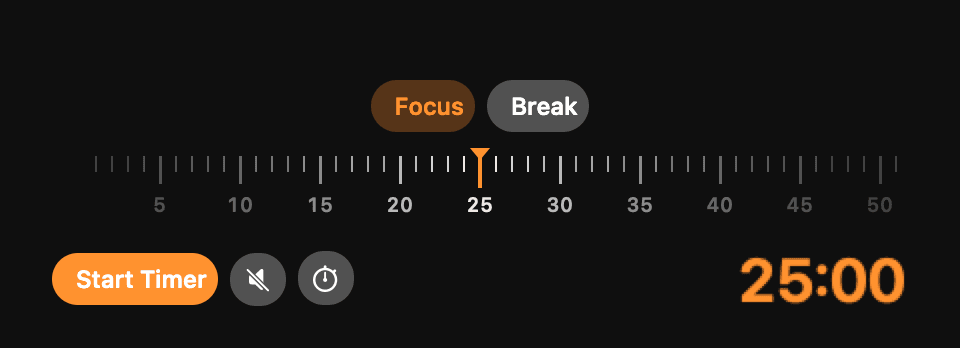
What Focus Timer does
Focus Timer is a focus and break timer in the notch. Choose Focus or Break, drag the minute tape to any length from a minute to eight hours, and start it; Focus is orange, Break is blue, and each remembers its own length. There's a stopwatch too. While it runs, the time sits in large digits on the page, beside the notch with a progress ring, on the lock screen and on a Home widget that's also a tile on your iPhone, under Focus. When a session ends you hear the end sound you picked and see a notice, and it counts overtime with a button to start the next session. Turn on reminders for eye breaks, water and standing up, or add your own, and play macOS's Background Sounds, from rain and ocean to a train, while you work. Everything stays on your Mac.
- Version
- 0.1.0
- Category
- Productivity
- Developer
- Sumit
- Availability
- Free · needs a Ledge with LedgeKit 0.26 · macOS 14 or later
Install Focus Timer
- Download Ledge and open it on your Mac.
- Open Settings → Add-on Store and search for Focus Timer.
- Choose Install, then review and approve the permissions it requests.


