
Productivity · An add-on for Ledge
Terminal
Your shell in the notch
Version 0.1.1 · By Ledge
See Terminal in Ledge
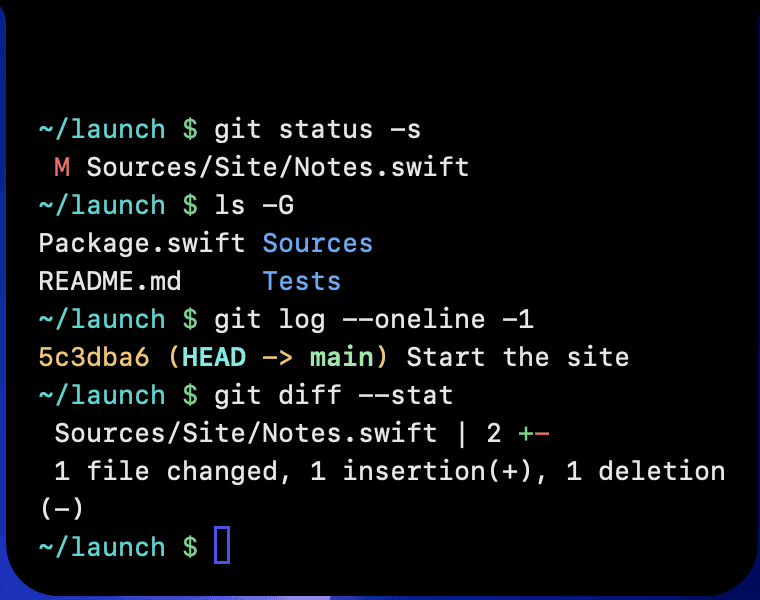
What Terminal does
Terminal puts your login shell on a page in the notch: open it from the tab pill or a shortcut you pick in Ledge's Settings, run a command, and get back to what you were doing. It's a real terminal, so vim, top, ssh, colors and Tab completion work, and it can grow to a wider size for longer work. The shell keeps running while the notch is closed. The header shows the folder you're in, and one click opens it in Terminal, iTerm, Ghostty, Warp, WezTerm, kitty or Alacritty. Choose where new shells start in its settings. The shell runs as you, with your access to everything on this Mac, like one in Terminal. What you type goes only to the shell, and programs in it can copy to your clipboard but can't read it. One shell at a time, with no tabs or split panes. The screenshot shows a demo folder.
- Version
- 0.1.1
- Category
- Productivity
- Developer
- Ledge
- Availability
- Free · needs a Ledge with LedgeKit 0.18 · macOS 14 or later
Install Terminal
- Download Ledge and open it on your Mac.
- Open Settings → Add-on Store and search for Terminal.
- Choose Install, then review and approve the permissions it requests.


